What is online privacy? A guide for families in 2026
Online privacy is the right and ability of individuals to control the collection, use, and sharing of their personal data when using the internet and connected services. This definition, recognised by authorities including the UK’s Information Commissioner’s Office (ICO) and Built In, covers far more than your name or email address. It includes your browsing history, purchase records, location data, and less obvious identifiers like your IP address and daily online routines. Understanding what is online privacy, and why it matters, is the first step toward protecting yourself and your family in a world where your data is genuinely someone else’s goldmine.
What personal information is at risk online?
Online privacy covers a much wider range of data than most people realise. Platforms collect names, photos, device details, and behavioural patterns. They also harvest invisible traces: the time you spend on a page, the links you hover over, and the sequence of your clicks.
Companies use this data to build detailed digital profiles. Data brokers go further, purchasing information from multiple sources and combining it into shadow profiles that exist without your knowledge or consent. These profiles can include your income bracket, health interests, relationship status, and political leanings.
The risks from this kind of data exposure are real and varied:
Identity theft: Stolen personal details are used to open credit accounts or access financial services in your name.
Targeted scams: Detailed profiles make phishing attacks more convincing, because scammers already know your name, employer, or recent purchases.
Exploitation of children: Data exposure can make children visible to groomers or predators who exploit location and routine information.
Discrimination: Profiles built from behavioural data can affect insurance pricing, job opportunities, and credit decisions.
Families face a particular challenge. 75% of parents fear their children make unsafe online privacy choices, yet 21% have never discussed online privacy with them. That gap between concern and conversation is where real harm takes root.
Pro Tip: Check what apps your child uses and review the permissions each one requests. If a game asks for your location and contacts, that is a red flag worth acting on.

Common misconceptions about online privacy
Privacy is not about hiding. Privacy is about autonomy over your digital footprint, the ability to choose what you share, with whom, and when. Conflating privacy with secrecy is one of the most damaging misconceptions around, because it stops people from taking protection seriously.
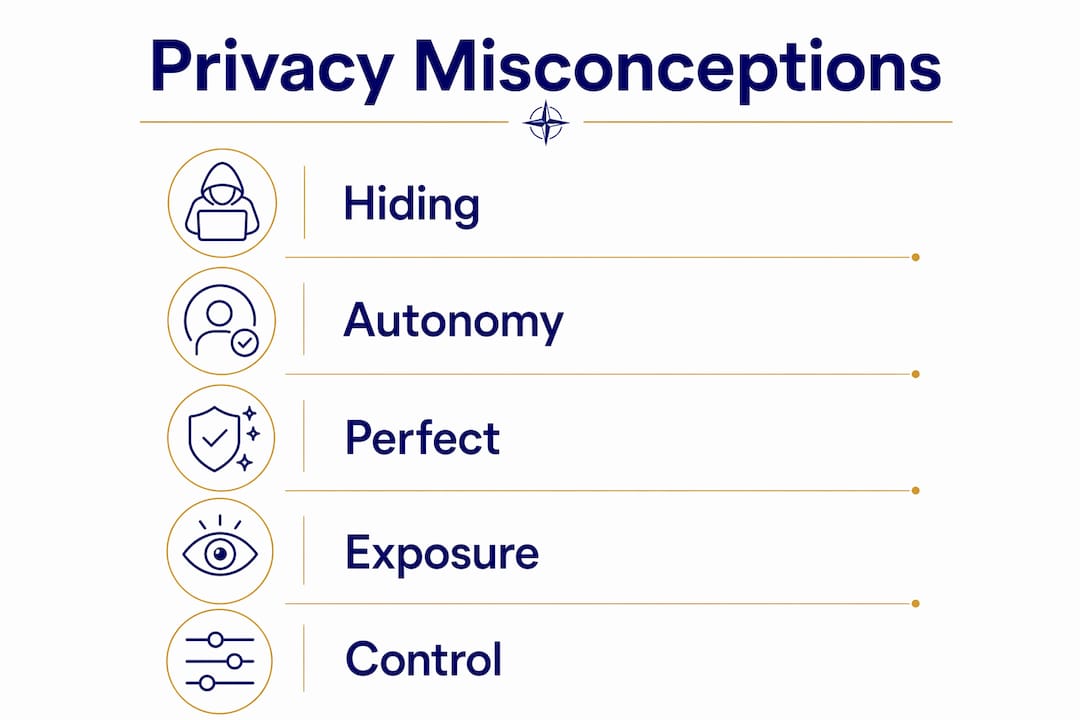
Another common myth is that privacy settings alone keep you safe. They do not. Platforms change their settings regularly, default options often favour data collection, and third-party apps connected to your accounts may bypass your preferences entirely.
The Electronic Frontier Foundation and Internet Matters both make the same point clearly:
Complete anonymity online is nearly impossible. The goal is intentional sharing, providing only the minimum information an app needs to function, rather than handing over everything by default.
Here are the misconceptions worth dropping right now:
“I have nothing to hide.” Privacy is not about guilt. It is about control. You would not hand your diary to a stranger, even if it contained nothing embarrassing.
“My privacy settings protect me.” Settings help, but relying solely on privacy settings is insufficient. Platforms update their terms, and third-party integrations often operate outside your chosen settings.
“Only big targets get hacked.” Automated attacks target everyone. Small accounts are often easier to compromise precisely because their owners feel invisible.
“Incognito mode makes me anonymous.” Incognito prevents local browsing history from being saved. Your internet service provider, employer network, and the websites you visit still see your activity.
Realistic expectations matter. You cannot achieve perfect privacy, but you can dramatically reduce your exposure through deliberate choices.
How can families build an online privacy workflow?
The most effective online privacy workflow for families starts with conversation, not software. Talking about privacy the way you talk about screen time, openly and regularly, builds the habits that actually protect people. 38% of parents discuss online privacy less than once a month, compared to 90% who discuss screen time monthly. That imbalance needs to shift.
A structured family approach works better than ad hoc warnings. The ICO’s “Switched On to Privacy” campaign recommends age-appropriate privacy education, starting with simple concepts for younger children and building toward more nuanced discussions as they grow. The goal is to raise children who understand why they are making certain choices online, not just children who follow rules they do not understand.
Family tech contracts that make parents equally accountable create a positive digital culture rather than adversarial monitoring. When adults model the behaviour they expect, children are far more likely to follow through. A shared, signed agreement on device rules, privacy settings, and online behaviour improves both adherence and trust.
A practical family privacy workflow looks like this:
Hold a family privacy conversation. Discuss what personal information is, why it matters, and what your family agrees to share or not share online.
Audit your apps together. Go through each family member’s devices and review app permissions. Remove apps that request unnecessary access.
Set shared privacy standards. Agree on rules for posting photos, sharing location, and creating accounts on new platforms.
Create a family tech contract. Write down your agreements and sign them, including the adults. Review the contract every six months.
Check in regularly. Privacy conversations are not a one-off event. New apps, new devices, and new social platforms require fresh discussions.
Pro Tip: Frame privacy conversations around respect and autonomy, not fear. Children who understand the “why” behind privacy rules are far more likely to apply them independently when you are not watching.
How to protect online privacy with layered strategies
The best approach to family cybersecurity is layered: secure critical accounts first, then address devices and networks, and only then consider paid tools. Most families do the opposite, spending money on software before fixing the basics that cost nothing.
Layer 1: Secure your accounts
Start with the accounts that matter most: email, banking, and any platform that holds financial or identity information. Use a unique, strong password for each account. A password manager like Bitwarden or 1Password removes the burden of remembering them. Enable multi-factor authentication (MFA) on every account that offers it. MFA alone blocks the vast majority of automated account takeover attempts.
Layer 2: Device and network hygiene
Most effective privacy protection starts with free foundational steps: keeping software updated, enabling device passcodes, and configuring parental controls on children’s devices. Software updates patch security vulnerabilities that attackers actively exploit. Skipping them is one of the most common and costly mistakes families make.
Home Wi-Fi routers are frequent weak points. Change the default admin password on your router. Set up a separate guest network for smart home devices and visitors. Smart speakers, connected toys, and home automation devices often lack strong security and should be isolated from the network your computers and phones use.
Layer 3: Adding paid tools when needed
Once the basics are solid, paid tools add meaningful protection. A reputable VPN, such as Mullvad or ProtonVPN, encrypts your connection on public Wi-Fi. Identity monitoring services alert you when your personal details appear in data breaches. The key word is “when needed.” A VPN does not protect you from weak passwords, and identity monitoring does not replace MFA.
Protection layer | Priority | Cost | Key action |
Strong passwords and MFA | Critical | Free | Use a password manager; enable MFA on all accounts |
Software updates | Critical | Free | Enable automatic updates on all devices |
Router security | High | Free | Change default password; set up guest network |
Parental controls | High | Free to low | Configure on each child’s device |
Password manager | High | Low | Bitwarden (free tier available), 1Password |
VPN | Moderate | Low to medium | Use on public Wi-Fi; not a replacement for basics |
Identity monitoring | Moderate | Medium | Useful after basics are in place |
Pro Tip: Run a family privacy audit in a single afternoon. Tackle accounts, then devices, then the router. Done in order, this “privacy stack” covers the most common vulnerabilities without overwhelming anyone.
Key takeaways
Online privacy is not a one-time setup. It is an ongoing practice of deliberate choices, regular reviews, and open family conversations that adapt as your digital life changes.
Point | Details |
Privacy means control, not hiding | Online privacy is about choosing what you share, with whom, and when. |
Data exposure affects the whole family | Children are especially vulnerable; start privacy conversations early and often. |
Free steps come first | Secure passwords, MFA, and software updates protect more than most paid tools. |
Misconceptions create real risk | Privacy settings and incognito mode are not enough on their own. |
Review your plan twice a year | Update your privacy plan when new devices or apps enter the household. |
Why I think most families are approaching privacy backwards
I have spent over 35 years watching how people respond to digital risk, and the pattern is remarkably consistent. Families feel anxious, buy a product, and then feel like they have done something. They have not. They have skipped the conversation, skipped the audit, and gone straight to the expensive part.
The uncomfortable truth is that the most powerful privacy tool available to any family is a 20-minute conversation at the kitchen table. Not a VPN subscription. Not parental control software. A conversation where everyone, including the adults, agrees to be accountable.
Privacy protection also has to evolve. The apps your teenager uses today did not exist two years ago. The privacy risks for kids shift constantly, and a plan you set up in 2024 may not address what your family faces in 2026. Reviewing your approach at least twice a year is not paranoia. It is maintenance, the same kind you would do for your car or your smoke alarms.
What I find most encouraging is that families who approach privacy through education rather than fear tend to build genuinely resilient digital habits. Children who understand why they protect their data make better choices independently. That is the outcome worth working toward.
— Jemma
How Cybercompassconsulting supports your family’s digital safety
Cybercompassconsulting works with families, schools, and organisations to build cyber wellness from the ground up, grounded in behavioural science and over 35 years of practical experience. The approach goes beyond checklists. It addresses the habits, conversations, and culture that make privacy protection stick.
Whether you are a parent wanting to build a structured family cyber wellness plan or a school looking for a cyber wellness school programme, Cybercompassconsulting offers personalised sessions that meet you where you are. The work is practical, evidence-based, and designed to reduce fear while building genuine confidence. If you are ready to move from anxiety to action, book a consultation and start building a privacy plan that actually fits your family’s life.
FAQ
What is the online privacy definition in simple terms?
Online privacy is your right to control what personal information is collected about you, how it is used, and who it is shared with when you use the internet. It covers obvious data like your name and email, and less visible data like your IP address and browsing behaviour.
Why does online privacy matter for families?
Children are particularly vulnerable to data exposure, which can lead to targeted scams, grooming, and exploitation. Research shows 75% of parents worry about their children’s online safety, yet a significant number have never had a direct conversation about it.
What affects online privacy the most?
Weak passwords, reused credentials, outdated software, and oversharing on social platforms are the most common factors that undermine online privacy. App permissions and router security are also frequent weak points that most families overlook.
Can I ever be fully anonymous online?
Complete anonymity online is nearly impossible. Your internet service provider, the platforms you use, and advertisers all retain ways to identify you. The realistic goal is intentional sharing, giving apps only the minimum information they need to function.
How often should families review their online privacy plan?
A privacy plan should be reviewed at least twice a year, and any time a new device or app enters the household. Digital life changes quickly, and a plan that worked last year may not address the risks your family faces today.
Recommended
Comments